Add Post
🫢 PostgreSQL Connection String Not Detected
We were unable to detect a valid PostgreSQL connection string.
Please verify that the relevant environment variable(DATABASE_DSN) is correctly configured.
Why is this happening?
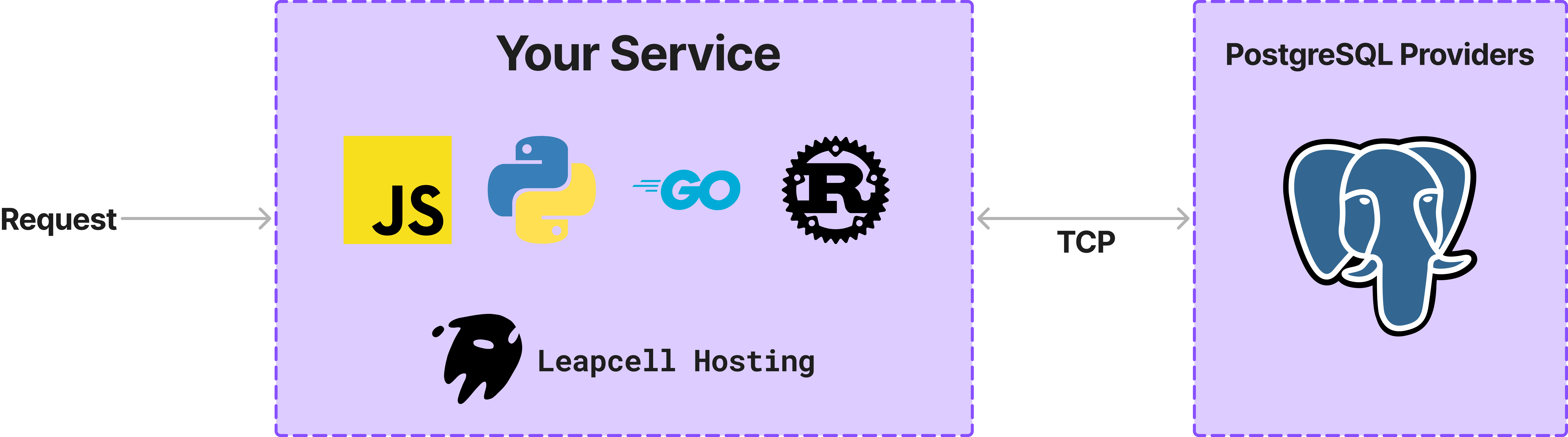
Since Leapcell operates in a fully serverless environment, it does not provide a managed PostgreSQL database or other persistent storage solutions. To use PostgreSQL, you must provision a database instance from a third-party PostgreSQL provider.
Once you have obtained a database instance, Leapcell can connect to your instance over TCP. The following code demonstrates how to create a table and insert data into it.
Configuring Your PostgreSQL Connection
- Acquire a PostgreSQL instance from a third-party provider.
- Retrieve the connection string from the provider’s dashboard.
- In
Leapcell
, navigate to Environment Variables
and set
DATABASE_DSNto the provided connection string (e.g.,<postgresql://user:abcd@pooler.usxx.leap.cell/postgre>). - After completing the setup, you may proceed with invoking your service.

📌 For reference, explore this example repository:
GitHub - fastapi-hackernews-clone
🌟 Recommended Free-Tier PostgreSQL Providers
The following providers offer free-tier PostgreSQL instances. Please refer to their official documentation for specific terms and conditions.
1️⃣ Supabase
Supabase provides a PostgreSQL DBaaS solution. After setting up a database, navigate to the "Connect" section in the dashboard to obtain your connection string.
📌 Important: Use the "Session Pooler" connection method.
postgresql://postgres.abcdxxx:[YOUR-PASSWORD]@aws-0-us-east-1.pooler.supabase.com:5432/postgres
2️⃣ Neon.tech
Neon.tech is a serverless PostgreSQL provider. After creating a database, select the "Connect" option on the dashboard to obtain the required connection string.
postgresql://neondb_owner:abcd@ep-nameless-qwe-abcd-pooler.us-east-1.aws.neon.tech/neondb?sslmode=require
🚀 Next Steps
For further assistance, please visit Leapcell's official documentation or join our community discussions. 🚀